
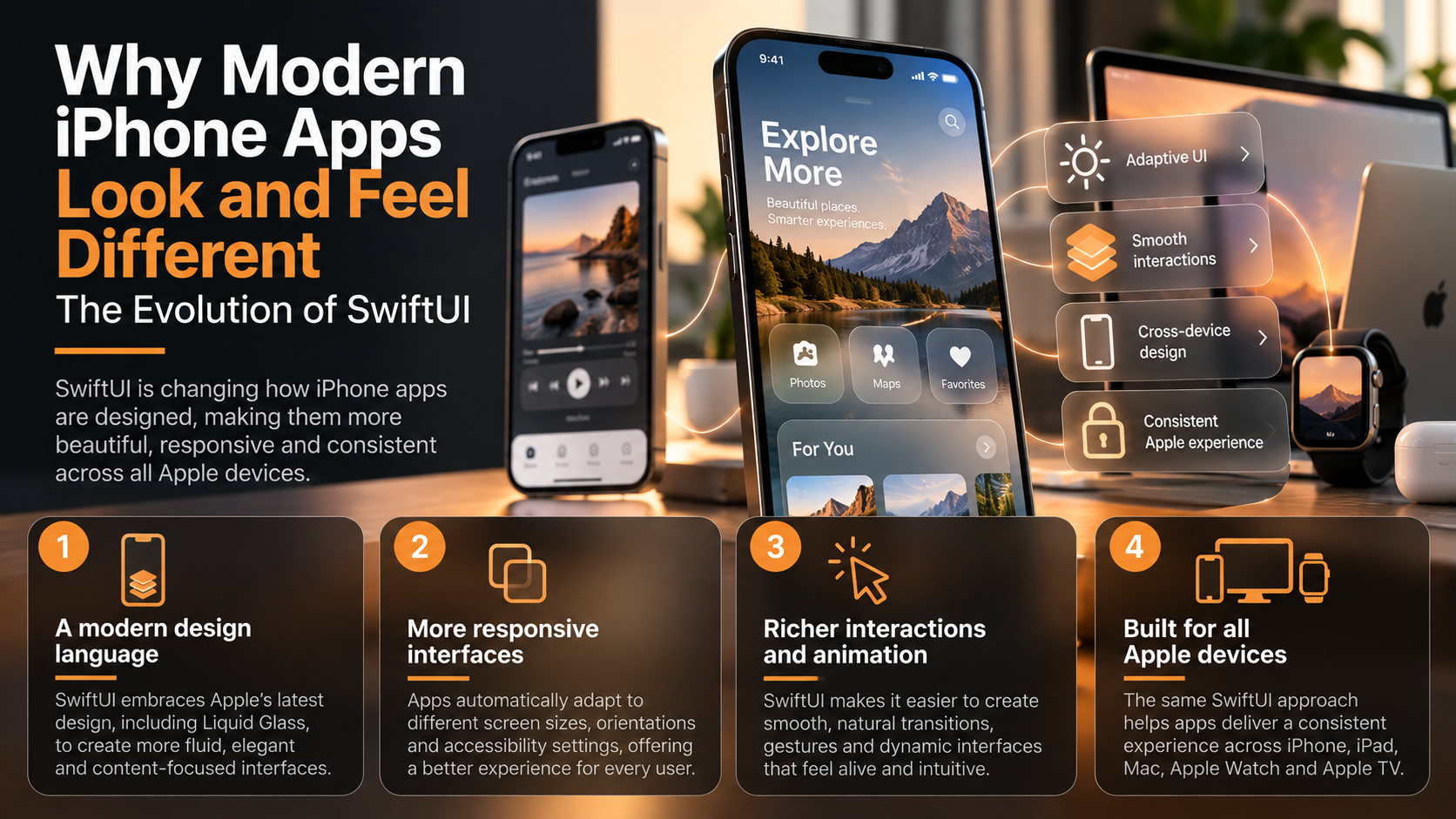
Why Modern iPhone Apps Look and Feel Different: The Evolution of SwiftUI
Modern iPhone apps increasingly feel more fluid, adaptive and consistent across Apple devices. SwiftUI is a major reason: Apple has evolved it from a declarative UI framework into a broader system for responsive layouts, navigation, animation, platform adaptation and the new Liquid Glass design language.
Open a recently updated iPhone app and it may feel noticeably different from software designed only a few years ago. Interfaces increasingly emphasize fluid transitions, adaptive layouts, prominent content, responsive controls and visual elements that react naturally to their surroundings. Some of these changes come from Apple’s broader design direction, while others are enabled by increasingly capable development frameworks. SwiftUI has become one of the central technologies shaping how modern Apple apps look, behave and adapt.
Apple introduced SwiftUI at WWDC 2019 as a declarative framework for building interfaces across Apple platforms. Instead of manually describing every procedural step required to construct and update an interface, developers describe the desired state of the UI and allow the framework to determine how that state should be rendered. Apple has subsequently expanded SwiftUI with increasingly sophisticated systems for navigation, animation, scrolling, data flow, layout and cross-platform adaptation. What began as a different way to write interface code has evolved into a different way to think about the relationship between an app, its content and the device displaying it.
That evolution is becoming especially visible as Apple moves its platforms toward the Liquid Glass design language. Apple introduced Liquid Glass in 2025 as a new software design built around a translucent material that reflects and refracts surrounding content while dynamically transforming to provide greater focus on content. SwiftUI provides developers with APIs and system components that can adopt these behaviors across iPhone, iPad, Mac, Apple Watch and Apple TV.
The result is more than a visual redesign. Modern interfaces increasingly need to respond to different screen sizes, window configurations, accessibility preferences, input methods and device categories without requiring developers to create completely separate applications for every situation. The modern iPhone interface is becoming less like a collection of fixed screens and more like an adaptive system that responds continuously to context.
SwiftUI Changed App Design From Instructions to Descriptions
Traditional interface development frequently required developers to think procedurally. They created interface objects, configured them, connected events, updated values and manually synchronized what users saw with changes occurring in the underlying application. UIKit remains a powerful and important framework, but SwiftUI introduced a more declarative model.
A SwiftUI developer describes what the interface should look like for a particular application state. If that state changes, SwiftUI updates the affected interface accordingly rather than requiring the developer to manually coordinate every visual modification. Instead of repeatedly telling the interface how to change, developers increasingly describe what the interface should represent.
Consider something as simple as a shopping cart. When the underlying data changes from three products to four, a declarative interface can derive the displayed list, total price and item count from the updated state. The developer still determines the application’s logic, but much of the synchronization between data and presentation becomes part of the framework’s responsibility.
This model has important implications for design because interfaces can become more dynamic without requiring equivalent increases in coordination code. Views can respond to state changes, animations can accompany those transitions and layouts can adapt as information changes. SwiftUI makes responsiveness part of the architecture of the interface rather than something developers must bolt onto every individual screen.
Apple has continued strengthening this model with its Observation framework and related data-flow technologies. SwiftUI can track dependencies between observable data and views so that relevant parts of an interface are updated when the underlying information changes. That allows increasingly complex applications to remain reactive while reducing some of the manual synchronization traditionally associated with UI development.
The visual result can be subtle but important. Users experience interfaces that appear to react immediately to changes rather than screens that must constantly be refreshed, reloaded or reconstructed. The code architecture and the visual experience become closely connected: reactive software tends to produce interfaces that feel reactive as well.
Liquid Glass Is Changing the Visual Hierarchy of Apps
One of the most visible recent developments in Apple’s interface design is Liquid Glass. Apple describes it as a translucent material that reflects and refracts surrounding content while transforming dynamically to help bring greater focus to what the user is viewing. The design is intended to create a consistent visual language across Apple’s operating systems rather than being limited to the iPhone.
This changes how controls relate visually to content. Navigation bars, toolbars, tab bars and other interface elements can appear as layers floating above photographs, lists, maps or other information rather than as heavy containers permanently occupying separate areas of the screen. The interface increasingly behaves like a responsive layer around the content instead of a rigid frame containing it.
Apple’s SwiftUI documentation provides dedicated APIs for applying and customizing glass effects. Developers can use system materials and containers while allowing the framework to coordinate visual effects and transitions between related elements. Apple also recommends adopting standard SwiftUI components where possible because system controls automatically receive many characteristics of the updated design.
This is important because visual consistency becomes easier when the platform itself provides much of the design behavior. Developers do not necessarily need to manually reproduce every highlight, reflection, transition or material effect used by the operating system. Using native components increasingly means inheriting Apple’s evolving interaction and visual language automatically.
The design shift is not simply about making interfaces more decorative. Apple emphasizes hierarchy, harmony and consistency as core principles of the new design, while interface elements are intended to maintain legibility as they interact with underlying content.
For developers, that means custom interfaces require restraint. Excessive transparency, unnecessary glass effects or competing visual layers can make information harder to understand rather than more sophisticated. A modern interface succeeds when the visual effect clarifies the hierarchy of the app, not when the effect becomes the main attraction.
Responsive Design Is Becoming More Important Than Fixed Screens
The iPhone itself no longer represents one predictable canvas. Apple offers multiple screen sizes and orientations, while applications can also extend to iPad, Mac, Apple Vision Pro, Apple Watch and Apple TV. Even within a single platform, accessibility settings, Dynamic Type and multitasking can substantially change the space available to an interface.
SwiftUI was designed around flexible layout relationships rather than fixed pixel coordinates. Containers such as stacks, grids and adaptive views allow elements to respond to available space, while environment information lets applications adjust behavior based on surrounding conditions. The goal is increasingly to design relationships between interface elements rather than design one immutable screenshot.
Navigation demonstrates this particularly well. A compact iPhone may display content through a straightforward navigation stack, while a larger iPad or Mac interface can expose multiple columns simultaneously. SwiftUI’s navigation APIs allow developers to represent navigation structure in ways that can adapt to different presentation environments.
The same principle applies to controls and presentation. A feature might appear as a sheet in one environment, a popover in another or a dedicated region of a larger interface when more space is available. Developers still need to make deliberate design choices, but SwiftUI gives the system more information with which to select an appropriate presentation.
Accessibility strengthens the argument against fixed layouts. Larger text, VoiceOver, reduced-motion preferences and other accessibility settings can alter how information should be displayed or navigated. An interface is not truly responsive if it adapts to the device but fails to adapt to the person using it.
This is why modern Apple design increasingly rewards semantic structure. When developers use standard controls, meaningful labels and adaptive containers, the operating system has more opportunities to modify presentation appropriately. A rigid custom interface may look impressive in one screenshot but become fragile when text size, orientation or available space changes.
Cross-device development therefore becomes a design discipline rather than simply a code-sharing exercise. The objective is not to make an Apple Watch display exactly the same interface as an iPhone, nor to stretch an iPhone screen across a Mac window. The objective is to preserve the purpose and identity of the application while allowing its interface to become appropriate for each device.
Animation and Interaction Are Becoming Part of the Interface Structure
Modern iPhone apps also feel different because movement has become more deeply integrated into interface design. Animation is no longer limited to decorative transitions between screens; it can communicate hierarchy, continuity and the relationship between different states. SwiftUI’s animation system allows developers to connect visual transitions directly to changes in application state.
When an element expands, disappears or moves, animation can help the user understand what happened. A card opening into a detailed view can visually communicate that the second interface emerged from the first, while an inserted item can animate into a list instead of appearing without explanation. Good animation reduces cognitive discontinuity by showing users how one state became another.
SwiftUI provides implicit and explicit animation APIs as well as transition and geometry capabilities that can coordinate movement between related interface states. Apple has continued expanding these capabilities, including support for increasingly sophisticated transitions and visual effects.
Scrolling has also become more expressive. Developers can respond to scroll positions, create transitions tied to scrolling behavior and build layouts where content and controls change as the user moves through information. These capabilities help explain why many contemporary applications feel less like sequences of static pages and more like continuous interactive environments.
Haptics, gestures and touch interactions reinforce the same effect. A button can visually respond to a press, an object can follow a drag gesture and a transition can preserve spatial continuity as the user navigates. The interface increasingly communicates through movement and response rather than relying exclusively on labels and icons.
Restraint remains important here as well. Excessive animation can slow interaction, distract users and create accessibility problems, particularly for people sensitive to motion. SwiftUI provides developers with environment information related to accessibility preferences, allowing experiences to adapt when reduced motion or other accommodations are requested.
The best interactions therefore tend to feel almost invisible. Users may not consciously notice why an interface feels coherent when animations preserve continuity and controls respond immediately. Modern UI design is often successful precisely when the technology disappears and the interaction feels natural.
One Framework Is Increasingly Connecting Apple's Devices
SwiftUI’s broader significance becomes clearer when looking beyond the iPhone. Apple designed the framework for its platform ecosystem, enabling developers to share concepts, components and substantial amounts of interface code across iOS, iPadOS, macOS, watchOS, tvOS and visionOS.
This does not mean one interface should simply be copied everywhere. Each device has different conventions, screen dimensions and interaction methods, from touch on iPhone to mouse and keyboard on Mac, the Digital Crown on Apple Watch and spatial interaction on Apple Vision Pro. Cross-platform design works best when the application shares its logic and identity while respecting the behavior of each platform.
SwiftUI makes this easier because many system components understand their environment. A control can adopt platform-appropriate appearance and interaction characteristics without the developer manually recreating every variation. This allows development teams to concentrate more attention on where platform-specific differences actually matter.
The approach can also influence product strategy. An application originally developed for iPhone may become easier to extend to iPad, Mac or another Apple platform when its interface and state architecture were designed adaptively from the beginning. SwiftUI turns cross-device support from a later porting problem into something that can be considered during the original design process.
Apple’s Liquid Glass design reinforces this ecosystem-level direction. The company introduced the design across its software platforms simultaneously, while SwiftUI and other native frameworks provide the components through which applications can adopt it.
The result is a stronger shared visual language without requiring every device to behave identically. Users can recognize familiar navigation, materials, controls and interaction principles while still receiving an interface appropriate for the hardware in front of them. Consistency increasingly means shared design logic rather than identical screen layouts.
The SwiftUI evolution is sometimes described mainly as a transition from UIKit toward newer interface technology, but that interpretation misses the larger change. SwiftUI affects how developers represent state, construct layouts, navigate between content, animate transitions and adapt interfaces to different environments. Those architectural decisions ultimately influence what users see and feel.
Liquid Glass makes the transformation particularly visible because the latest design language changes materials, controls and visual hierarchy across Apple’s platforms. Yet the deeper shift is structural: interfaces are becoming increasingly reactive, adaptive and context-aware. Modern iPhone apps look different because the technology used to construct their interfaces increasingly behaves differently.
Responsiveness is now expected across multiple dimensions. An interface should respond to changing data, different screen sizes, accessibility settings, orientation, interaction methods and the characteristics of the device on which it is running. SwiftUI gives developers a common framework for expressing those relationships rather than manually creating every possible configuration.
The framework also changes the economics of cross-device development. Shared components and declarative architecture can reduce duplication, while platform-aware controls help applications preserve native behavior across Apple’s ecosystem. Developers can increasingly design an application as a flexible system rather than a collection of separate fixed screens.
None of this eliminates the importance of design expertise. SwiftUI can provide adaptive layouts, animation APIs and sophisticated materials, but developers still need to determine hierarchy, usability, accessibility and when visual effects actually improve the experience. A technically advanced interface can still be confusing if those decisions are poor.
The most important evolution is therefore philosophical as much as technical. iPhone interfaces are moving away from rigid arrangements of controls toward software that responds fluidly to content, context, device and user preferences. SwiftUI’s long-term significance is not simply that it changes how developers write UI code—it is helping change what users expect an Apple app to feel like.